
Keep an identified unit’s service history in AxiomBlue
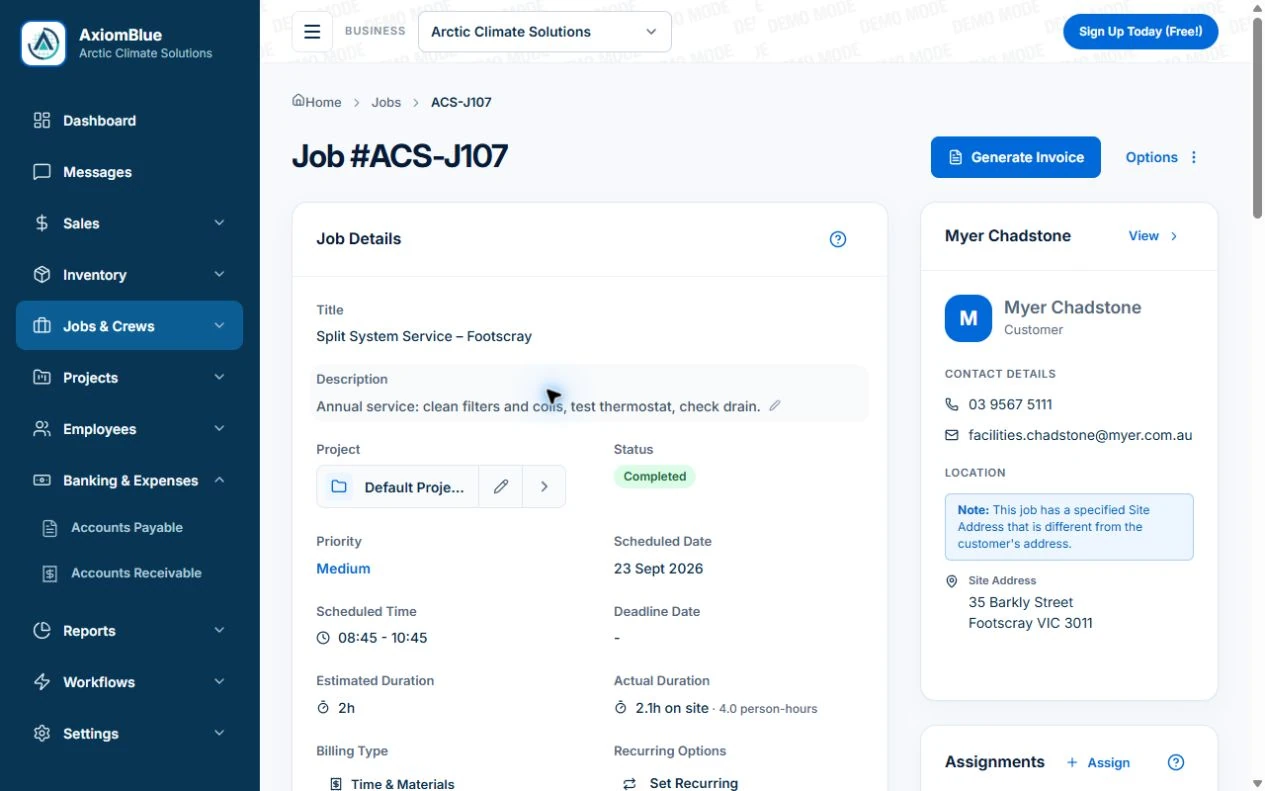
- Create the customer/site and identify the unit in the job Description, for example “Reception split system AC-03”, with manufacturer, model and serial references. Where you use the asset register on Basic or Professional, create the matching equipment identity and retain its record reference.
- On the service job, record the checks performed, findings and unresolved fault in Notes or Description. Use Tasks for the agreed work and record time and parts on the job. Basic or Professional supports supporting uploads; required refrigerant or regulatory records need their proper process.
- For the return, open the same unit’s customer job history and retain the earlier job reference in the new work instructions. On Professional, configure a Job Series if a service pattern is agreed. Check that the next technician can distinguish a completed service from a planned visit.
Make the equipment identifiable at the site
Use a consistent equipment reference and record its location clearly enough for another person to find it. Capture manufacturer, model and serial information where available, together with the customer or site context.
If several similar units are present, a location description matters as much as the model. “Meeting room, east wall” is more useful than “unit two” when labels have changed. Verify the details rather than copying a previous record without checking.
- Equipment reference and location
- Manufacturer, model and serial where available
- Relevant purchase or warranty information
- Associated customer, site or job reference
- Current issue or next action
Record the service outcome, not only attendance
Describe what was done, the relevant observations and anything still outstanding. Keep the job reference with the service record so the next person can find the supporting time, materials, photos or notes.
Illustrative handover: a technician inspects a unit and identifies a part that needs replacement. The record says which unit, what remains unresolved and who will arrange the quote. “Service completed” alone would conceal the outstanding work.
Choose the next action from the service requirement
The next action might be a quote, an ordered part, a return visit or a planned routine service. Give it an owner and a date to review. Do not substitute a generic repeat interval for the equipment’s requirements or your service agreement.
When a customer approves further work, connect that decision with the relevant equipment and job. If the timing changes, update the plan so the office and the returning technician have the same information.
Check the record from the next technician’s perspective
Axiom Blue provides asset records and job records that can support an equipment history and planned work. Inspect which asset fields and relationships fit your equipment process, and keep the service job reference easy to find. Use recurring work where an agreed repeat visit is appropriate. Recurring job series require Professional; photo and document uploads start on Basic.
This guide covers operational recordkeeping, not a specialist compliance register or live equipment tracking. The next person should be able to identify the equipment, understand the previous outcome and find the outstanding action without relying on the original technician’s memory.
Put it to work
Your practical checklist
- Verify the equipment identity and exact location.
- Record relevant purchase or warranty detail.
- Describe completed and outstanding work separately.
- Assign the next action and review date.
- Ask another person to follow the service history.
See the records in Axiom Blue
Try the workflow with a familiar job.
Features and usage limits vary by plan. Review the tools relevant to your process before choosing your setup.