
Put the job card fields into an AxiomBlue job
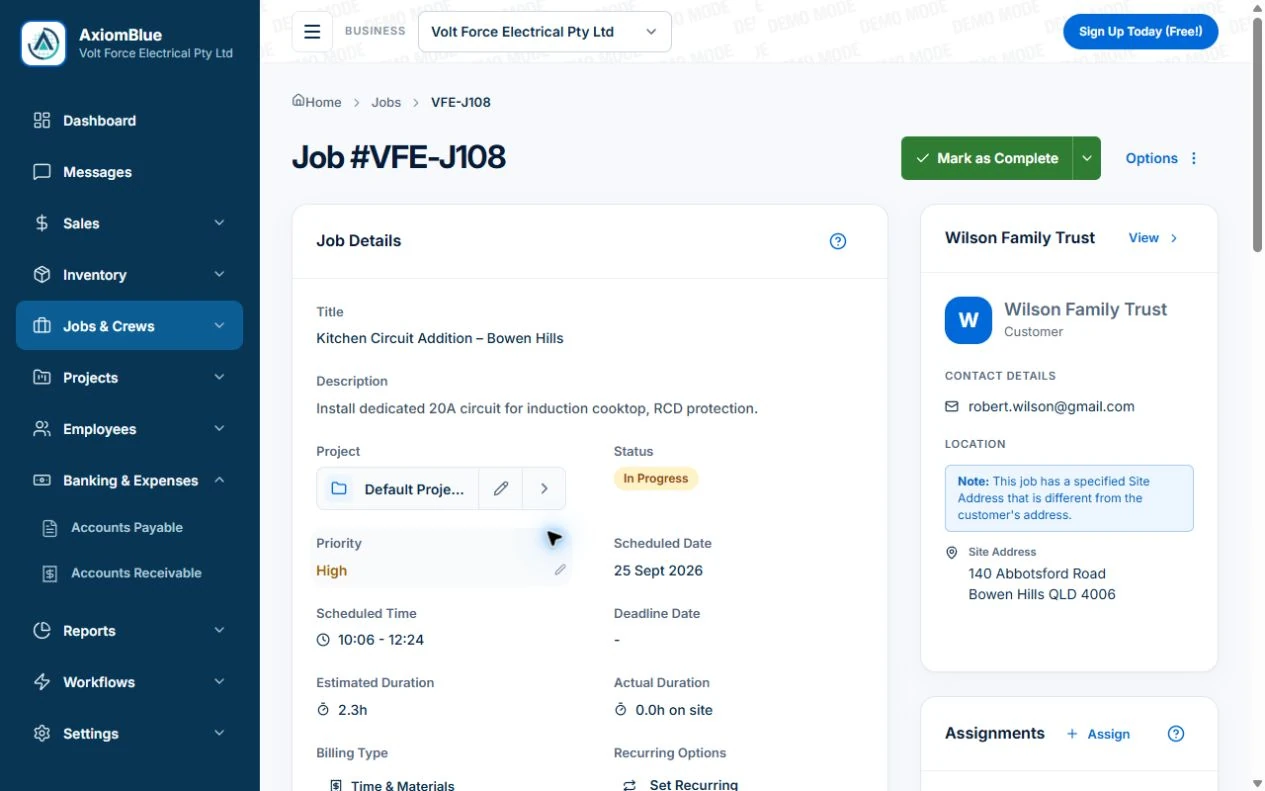
- Create or open the job and check Customer, Site Address and Description against the accepted quote. Put the visit’s instructions in Description and turn its agreed work into Tasks; retain a requested extra as a request until approved.
- Record the crew’s time in Time Tracking and installed quantities in Materials. On Basic or Professional, attach relevant job photos and documents. Use specific completion notes such as “three fittings replaced in rear room” instead of only changing the status.
- Compare the finished record with the filled worksheet below. Keep the unapproved outlet request visible and name the office’s next action in the description or note. Review the job’s billing basis before generating an invoice; completion of the original work does not approve the extra.
Start with the reference and the agreed work
Give the job a consistent reference that the office and crew can both use. A job number identifies the record; it does not tell anyone whether work is scheduled, complete or ready to invoice. Keep the current status separate.
Record the customer, exact site, contact and scope. Link the quote or other agreement where relevant. Include the detail that changes what the crew should do, while keeping internal shorthand out of customer-facing descriptions.
Capture the day without writing an essay
Use short, specific entries for time, materials and work completed. “Three replacement fittings installed in the rear room” explains more than “job done”. Record the quantity and location where they matter to review.
Add photos or a signature when they serve a clear purpose. A photo is supporting context, not a substitute for explaining incomplete work or a changed scope. Only collect information your team needs.
- Who attended and when
- Work completed and any remaining work
- Relevant time and material quantities
- Requested changes and their approval status
- Notes or evidence needed by the office
Try the filled example before changing your process
The downloadable job card includes an illustrative repair: the crew completes the agreed work, records materials and notes an additional request that has not yet been approved. The billing handover separates the completed scope from the pending request.
Use the blank version on a familiar job. Ask someone who did not attend the site to read it. If they still need to phone the crew to understand the bill, add the missing detail to your process rather than adding fields without a purpose.
Make the handover a decision, not just a tick
Before marking the record ready for billing, check the agreed price, changes and anything already invoiced. A completed visit may still require approval, paperwork or another decision. Assign a next action to those exceptions.
Axiom Blue job records bring together the site, status, time, materials, photos and notes. Use the printable template to clarify what your team needs, then test how that information fits the job screen and the permissions of the people entering it. The worksheet is a process aid, not an import file.
Make it useful today
Print or keep a working copy.
Each resource includes a blank worksheet and an illustrative example. Open it to print, or download an HTML copy to keep. No signup needed.
Put it to work
Your practical checklist
- Download the blank and filled job card.
- Use one reference across the job and billing records.
- Separate completed scope from pending requests.
- Ask another person to review the handover.
- Confirm what makes the job ready to invoice.
See the records in Axiom Blue
Try the workflow with a familiar job.
Features and usage limits vary by plan. Review the tools relevant to your process before choosing your setup.