
Software for Small professional service businesses

Client engagements with scope, delivery and billing connected.

AxiomBlue helps consultants and small service teams turn client enquiries into scoped quotes, recorded work and invoices. Professional project phases and tasks organise delivery, while variations record approval for additional deliverables. Review time and the agreed billing method before invoicing the engagement.

Web, iOS & Android · Free, Basic and Professional plans

A practical example / Professional Services

A client adds another deliverable.

  1. 01

    Agree the scope

    Capture the enquiry and send a clear quote for the work.

  2. 02

    Plan delivery

    Use Professional project tasks and phases to organise the engagement.

  3. 03

    Keep the addition visible

    Record the changed scope and approval through a variation.

  4. 04

    Review and bill

    Review time records, agreed work and the next invoice.

Illustrative workflow. Review your setup, permissions and plan inclusions.

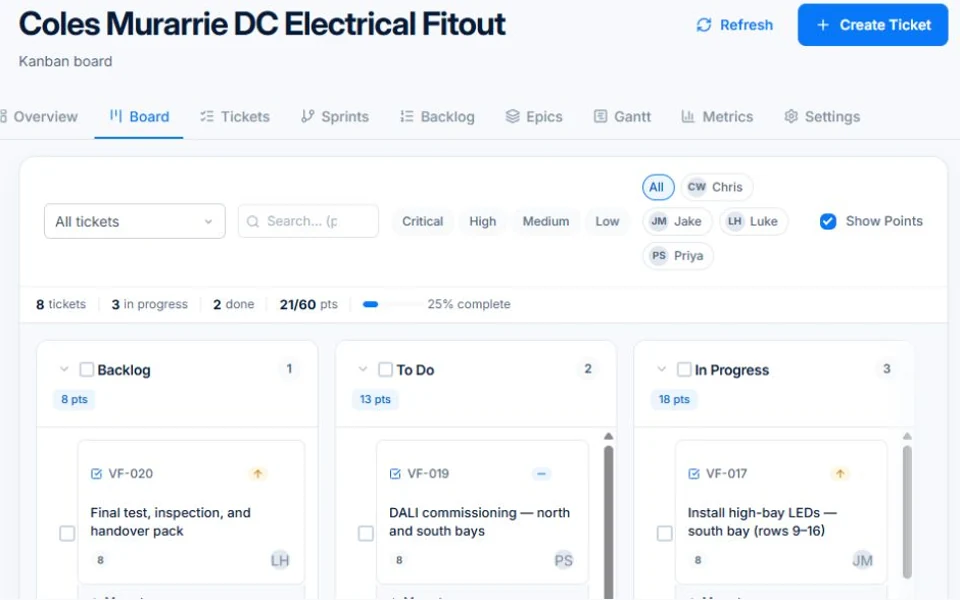
AxiomBlue · Project planning · Professional
Organise tasks and phases for client work. Project planning requires Professional.
Organise tasks and phases for client work. Project planning requires Professional. Public demo · sample data

Screens are from the public demo and may show another trade’s sample business.

The tools behind the working day

Start with the part
you usually have to chase.

01 / New business

Keep the conversation close to the proposed work.

Capture enquiries through lead forms, organise opportunities in the Professional sales pipeline and build a clear quote. Keep follow-up visible while the client makes a decision.

Explore crm & sales pipeline →

Core customer, lead and task tracking are included in Basic. The visual sales pipeline, CRM dashboard and workflow automation require Professional.
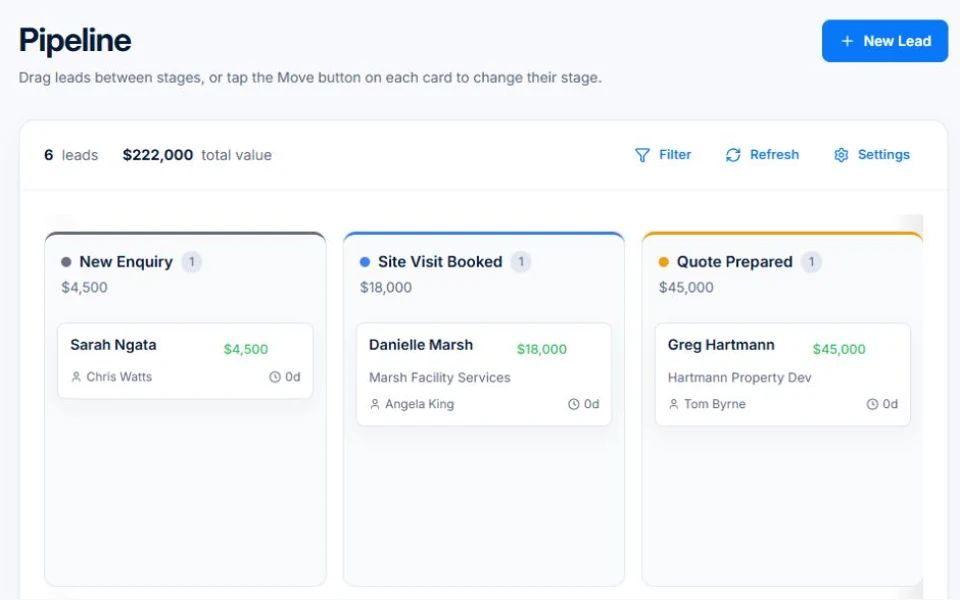
AxiomBlue · Sales pipeline · Professional
Public Axiom Blue demo: Sales pipeline · Professional.
Explore the records behind this workflow in the live demo. Public demo · sample data

02 / Client delivery

Turn the agreed scope into work the team can follow.

Use Professional project tasks and phases to organise delivery. Record time against the work and keep supporting documents accessible as the engagement progresses.

Explore project management →

Project management, kanban tickets and sprint planning are Professional features. Core job scheduling is available on Basic.

A closer look / Project management

  • Project records
  • Gantt planning and dependencies
  • Kanban boards
  • Tickets and task detail
  • Backlogs
See how it works →

03 / Scope and billing

Keep the extra deliverable in the conversation.

Use variations to record agreed changes, then review the billing detail. The customer portal provides a place to share quotes, invoices and relevant job information.

Explore variations & progress billing →

Variation tracking and approvals require Professional. Check the job billing method before preparing a progress claim.

A closer look / Variations & progress billing

  • Contract variations
  • Variation approvals
  • Revised contract value
  • Progress claims against fixed-price work
  • Retention held and release for configured contracts
See how it works →

Before you price the next contract

Is each engagement actually making money?

Salaries are most of a consultancy’s cost, and fixed fees that overrun, extra deliverables, unrecorded calls and write-offs never reach the invoice. See a worked month, the ATO and ABS figures and the weekly check that catches a leaking engagement early.

Worked examples are illustrative. Applicable ATO expense benchmarks compare costs with turnover; they do not determine profit or owner pay.

Is a consulting business profitable? →

Before you decide

Questions for
small professional service businesses.

What kind of professional services is this suited to?

The workflows shown fit small teams selling scoped services and coordinating delivery, time and billing. Use the demo to check your engagement structure and reporting needs.

Can clients find their quotes and invoices online?

The customer portal provides access to shared quotes, invoices and relevant job information. Review the customer experience and your sharing settings in the demo.

Can I track additional client work?

Professional variations provide a record for scope changes and approvals. Review the relationship between your project, job and billing records in the demo.

Considering a switch?

Check the fit before
moving your business.

Use a familiar job to compare the way you work today with the way Axiom Blue handles it.

  1. 1. Follow a job in the demo

    Check the quote, schedule, job record and invoice. Look for the details your team needs.

  2. 2. Check your plan and team cost

    Compare usage limits, paid seats and specialist features. See plans and pricing →

  3. 3. Confirm your move

    Try your own quote on the free plan. Before moving existing records, ask us about your data and setup needs.

Put it to a practical test

Bring the job
you know best.

Use these starting points in the public demo. Then try your own quote with a free account.

Free plan has usage limits. No time limit. No credit card.

  1. 01

    Follow a lead from the pipeline into a quote.

  2. 02

    Inspect a project’s tasks and phases.

  3. 03

    Review a job’s time, variation and billing records.