Software for Cleaning & property service businesses

Cleaning schedules with a record for every visit.

AxiomBlue connects cleaning job instructions, assignments, work records and invoices. Professional recurring job series give regular cleans individual visits you can move and review, alongside one-off work. Use Professional crews when team assignments change, and keep supporting job photos on Basic or Professional before reviewing the bill.

Web, iOS & Android · Free, Basic and Professional plans

A practical example / Cleaning Services

A regular clean is covered by a different team.

  1. 01

    Keep the visit visible

    Find the scheduled job in the recurring series.

  2. 02

    Assign the team

    Update the crew assignment in the schedule.

  3. 03

    Share the detail

    Keep relevant site instructions and work records with the job.

  4. 04

    Follow through

    Review the completed work and prepare the invoice.

Illustrative workflow. Review your setup, permissions and plan inclusions.

AxiomBlue · Recurring jobs
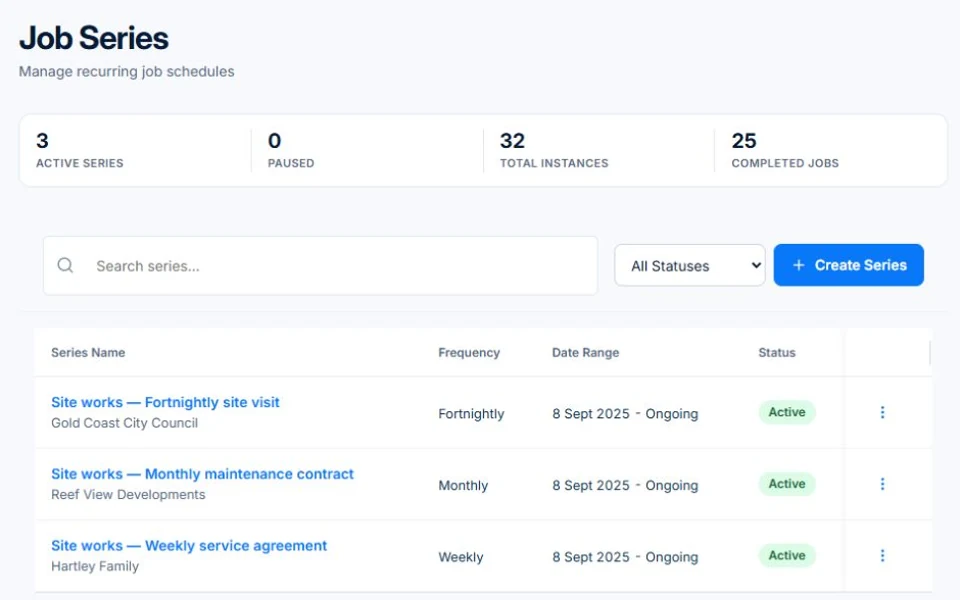
Use recurring job series to organise regular services alongside one-off work.
Use recurring job series to organise regular services alongside one-off work. Public demo · sample data

Screens are from the public demo and may show another trade’s sample business.

The tools behind the working day

Start with the part
you usually have to chase.

01 / Repeat work

Set up the pattern, then manage the real day.

Create recurring job series for regular services. Review upcoming visits and crew assignments as availability changes, while keeping one-off cleans in the same schedule.

Explore recurring jobs & services →

Recurring job series require Professional at $59 AUD for the first seat per month, excluding GST; additional seats receive graduated discounts. Free and Basic support individual jobs and scheduling; copying an individual job is separate from a recurring series. Recurring invoice templates and automated service reminders also require Professional.

A closer look / Recurring jobs & services

  • Recurring job series
  • Visit frequency and dates
  • Individual service visits
  • Series status and management
See how it works →

02 / Team coordination

Give the next person a useful starting point.

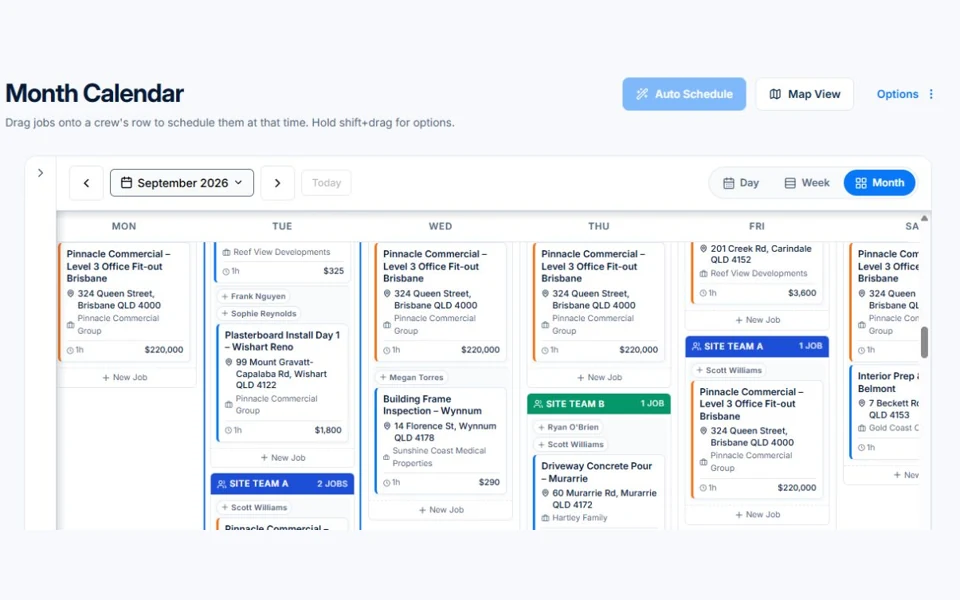
Keep customer and site details in the job record and organise the crew in the calendar. Paid plans add job uploads for supporting photos and documents; decide what detail your team should record consistently.

Explore crews & team coordination →

Core employee records are included in Basic. Advanced crew skills, leave and subcontractor capabilities require Professional and may depend on enabled features.

AxiomBlue · Crew calendar
Public Axiom Blue demo: Crew calendar.
Explore the records behind this workflow in the live demo. Public demo · sample data

03 / Customer handover

Make the paperwork easier to find.

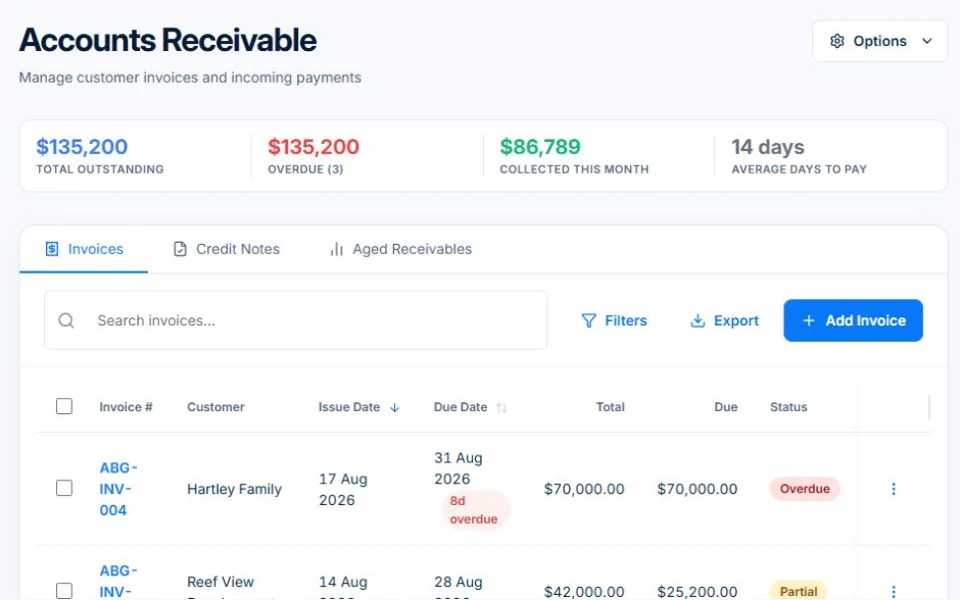
Prepare invoices from reviewed work and track outstanding balances. Share relevant quotes, invoices and job information through the customer portal, so repeat clients have a place to find their paperwork.

Explore customer portal →

Customer access must be configured for the business and its records. Online card payments require Professional and a connected Stripe account; processing fees apply.

AxiomBlue · Accounts receivable
Public Axiom Blue demo: Accounts receivable.
Explore the records behind this workflow in the live demo. Public demo · sample data

Choose by the work you need to do

Check the fit.
Then check the plan.

Start with the everyday tools. Check the specialist features before choosing what your team needs.

Before you price the next contract

Is each contract actually making money?

Labour is most of a cleaning business’s cost, and overruns, unpriced travel, lockouts and favours never reach the invoice. See a worked month, the ATO benchmarks and the weekly check that catches a leaking contract early.

Worked examples are illustrative. Applicable ATO expense benchmarks compare costs with turnover; they do not determine profit or owner pay.

Is a cleaning business profitable? →

Before you decide

Questions for
cleaning & property service businesses.

Can I organise regular and one-off cleans?

Yes. Use recurring job series for regular services and individual jobs for one-off work, with crew assignments in the shared schedule.

Does recurring scheduling automatically complete or invoice the work?

No. Planning visits is separate from recording delivery and preparing billing. Any workflow automation needs suitable configuration and plan access.

Can the team keep photos with a job?

Job photo and document uploads start on Basic. Review access permissions and the information your business wants staff to capture.

Practical guides for your business.

Start, choose tools or improve the handover between your clients, team and invoices.

Browse cleaning services guides →

Considering a switch?

Check the fit before
moving your business.

Use a familiar job to compare the way you work today with the way Axiom Blue handles it.

  1. 1. Follow a job in the demo

    Check the quote, schedule, job record and invoice. Look for the details your team needs.

  2. 2. Check your plan and team cost

    Compare usage limits, paid seats and specialist features. See plans and pricing →

  3. 3. Confirm your move

    Try your own quote on the free plan. Before moving existing records, ask us about your data and setup needs.

Put it to a practical test

Bring the job
you know best.

Use these starting points in the public demo. Then try your own quote with a free account.

Free plan has usage limits. No time limit. No credit card.

  1. 01

    Open a recurring series and check upcoming visits.

  2. 02

    Review a job’s site details and crew assignment.

  3. 03

    Inspect invoicing and customer-facing information.