
Key facts
| Start with the agreement | Confirm whether this is a fixed service price, time and materials, installation claim or visit included in a maintenance contract. |
|---|---|
| Keep the unit identifiable | Use a consistent equipment reference and location so the invoice can be matched to the service record. |
| Separate work from charges | Time recorded for job costing is not automatically an extra charge on a fixed-price job. |
| Check repeat billing | A recurring job schedules a visit; a recurring invoice follows its own billing arrangement. |
Build the HVAC bill from AxiomBlue service records
- Open the HVAC job and check Customer, Site Address and the unit reference in Description. Record the work performed and unresolved findings; inspect the billing method before interpreting time entries as charges.
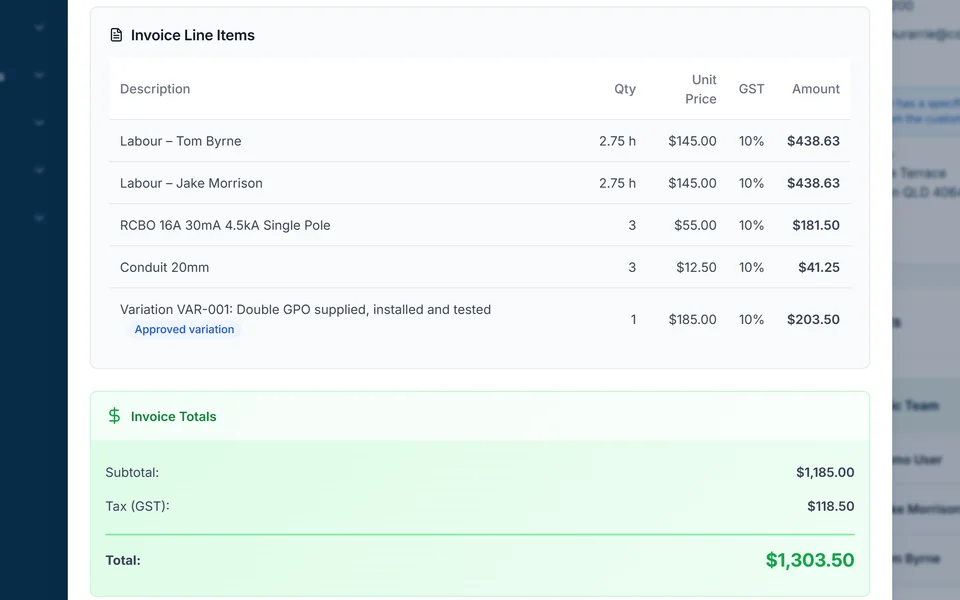
- Review Time Tracking and Materials, including billable settings, quantities, cost and sell prices. For completed time-and-materials work, select Generate Invoice and review Invoice Preview. For a fixed-price installation on Professional, review the contract and New Claim instead.
- Check the unit description, service date, tax treatment and previous charges in the draft. Keep an agreed recurring service and its configured series billing separate from evidence that this unit was actually maintained. Create, approve and send the checked invoice using the invoice workflow.
Give the office a service-to-invoice handover
Record the customer, service address, job reference and service date. Add the unit reference or location where it helps the customer recognise the work: “Reception split system, unit AC-03” is clearer than “air conditioner”. Retain the detailed service findings with the job or equipment record rather than filling the invoice with every observation.
Separate completed work from recommended work. If a technician identifies a component that needs replacement on a later visit, record the next action and who will obtain approval. Do not bill a proposed repair as if it were already authorised and completed.
- The agreed scope and billing contact, including a purchase-order reference if requested.
- The equipment serviced and work actually completed.
- Billable time, parts and any agreed call-out charge.
- Approved extras, previous charges and outstanding work.
Read next HVAC equipment service records: what to keep for the next visit →
Match the invoice to the way the job was sold
Check the agreement before building the invoice. The same technician can record time and materials on every visit, but that does not make every visit a time-and-materials sale. For an installation sold at a fixed price, follow the agreed claim or payment schedule and check what has already been billed.
A callback also needs a decision. Confirm whether it is covered by your original work, a manufacturer arrangement or separately authorised work. An internal job cost is still useful even when there is no additional customer charge.
| Work | Billing review | Avoid |
|---|---|---|
| One-off service or repair | Check the accepted fixed price or agreed rates and authorised parts. | Adding recorded hours on top of an inclusive service price. |
| Maintenance contract visit | Check the contract period, included visits and excluded repairs. | Charging for a visit already covered by the contract invoice. |
| Installation | Check the agreed stage, deposit or earlier claim and approved changes. | Billing the full contract again after a progress claim. |
| Warranty return or callback | Confirm responsibility and any approval for chargeable work. | Treating every recorded cost as a customer charge. |
Worked example: a time-and-materials service visit
Illustrative example only, using invented prices rather than an HVAC price recommendation: a customer authorises a service visit at $120 per hour, two filters at $30 each and a $60 call-out charge. The technician records 90 minutes and the two filters. The amounts below exclude any applicable tax.
The subtotal is $300: $180 labour, $60 filters and $60 call-out. Confirm that the agreement permits all three charges and that the call-out or first hour is not already included elsewhere. Check tax treatment in the invoice configuration before sending. If the same visit had been sold for a fixed inclusive price, use that agreement instead of this calculation.
Suggested customer-facing description: “Service of reception unit AC-03 on 4 October; filters replaced as authorised.” Keep the supporting service notes and any unresolved fault in the job record. The invoice describes the charge; the service report explains the technical outcome.
| Illustrative charge | Calculation | Amount before tax |
|---|---|---|
| Labour | 1.5 hours × $120 | $180 |
| Replacement filters | 2 × $30 | $60 |
| Agreed call-out | 1 × $60 | $60 |
| Subtotal | Review against the authorisation | $300 |
Keep maintenance visits separate from contract billing
An annual agreement might include several service visits and bill monthly. In that case, scheduling each visit is different from deciding when the contract invoice is due. Record completed visits against the agreed scope, and review repairs or parts that sit outside it before charging them separately.
Axiom Blue provides recurring job series and recurring invoice templates on Professional. Configure each for its own purpose and review moved, skipped or extra work. A recurring schedule is not evidence that a visit happened, and a repeating invoice does not by itself authorise an extra repair or a card charge.
Read next Recurring jobs versus recurring invoices: keep visits and billing aligned →
Use HVAC billing software with an invoice review
In Axiom Blue, keep the service record with the job and review the invoice preview before sending. Time-and-materials billing can use billable time and materials; approved unbilled variations can be included where enabled. Fixed-price work follows its contract billing path. Check rates, quantities, tax settings and previous charges rather than accepting a draft solely because software produced it.
Free supports one user and 10 invoices per month. Basic is $29 AUD for the first seat monthly, excluding GST, and removes the invoice cap; job photo and document uploads start on Basic. Professional is $59 AUD for the first seat monthly, excluding GST and adds recurring series, accounting connectors and online card payments through a connected Stripe account. Payment-provider fees apply.
PDF invoices and a no-login customer invoice link are available across the plans. Show clear payment instructions and record payments against the balance. Creating and sending an invoice needs an internet connection; native offline job capture should not be confused with offline invoicing. Accounting connectors do not turn the job system into a complete accounting service.
Read next Job invoicing software: bill from the job record →
Send a clear invoice and keep the supporting record
Check your business and customer details, invoice date and reference, a description of the work, quantities and prices, and when and how to pay. Confirm the correct invoice type and GST treatment for your registration and sale. Australian requirements differ between tax invoices and regular invoices; use the current government guidance linked below when checking your setup.
Before sending, make sure the intended billing contact can recognise the service address and equipment, understand the amount and find the payment instructions. Keep the job notes, approvals and detailed equipment history available for questions. An invoice is a billing document; retain any required technical or compliance records separately.
Sources: business.gov.au: how to invoice
Common questions
Questions people ask before they switch
What should an HVAC service invoice include?
Show the customer and site, service date, job reference, clear work description and agreed charges. Add an equipment reference where it helps identify the serviced unit. Check previous invoices, payment terms and the correct tax treatment; keep detailed service findings with the supporting job record.
Should I invoice every recurring maintenance visit?
Follow the maintenance agreement. A visit might be included in monthly or annual contract billing, charged after completion, or contain an approved extra repair. Check what is already covered before issuing another invoice. A recurring job and a recurring invoice serve different purposes.
Can HVAC invoicing software bill recorded time and parts?
Axiom Blue can prepare time-and-materials invoices from billable job time and materials for review. Check the agreed rates and authorised scope first. Recorded job costs do not justify adding charges to a fixed-price agreement, and previously billed work must be checked.
Does Axiom Blue offer free HVAC invoicing?
The Free plan includes one user and 10 invoices per month. Basic at $29 AUD for the first seat monthly, excluding GST removes the invoice cap and includes job photo and document uploads. Professional at $59 adds recurring series, accounting connectors and Stripe card payments with a connected account. Invoicing requires an internet connection.
Put it to work
Your practical checklist
- Confirm the billing basis and what is already included.
- Identify the customer, site and equipment serviced.
- Separate completed work, approved extras and proposed repairs.
- Review billable quantities, agreed prices, tax settings and previous charges.
- Preview the invoice and check the billing contact and payment instructions.
- Keep service evidence and follow-up actions with the job.
See the records in Axiom Blue
Try the workflow with a familiar job.
Features and usage limits vary by plan. Review the tools relevant to your process before choosing your setup.