
Plan the round and two-day garden work in AxiomBlue
- Use separate AxiomBlue jobs for the garden refresh and recurring maintenance; Professional Job Series supplies the repeat pattern. Put project deliveries, current scope and Estimated Duration on the project job.
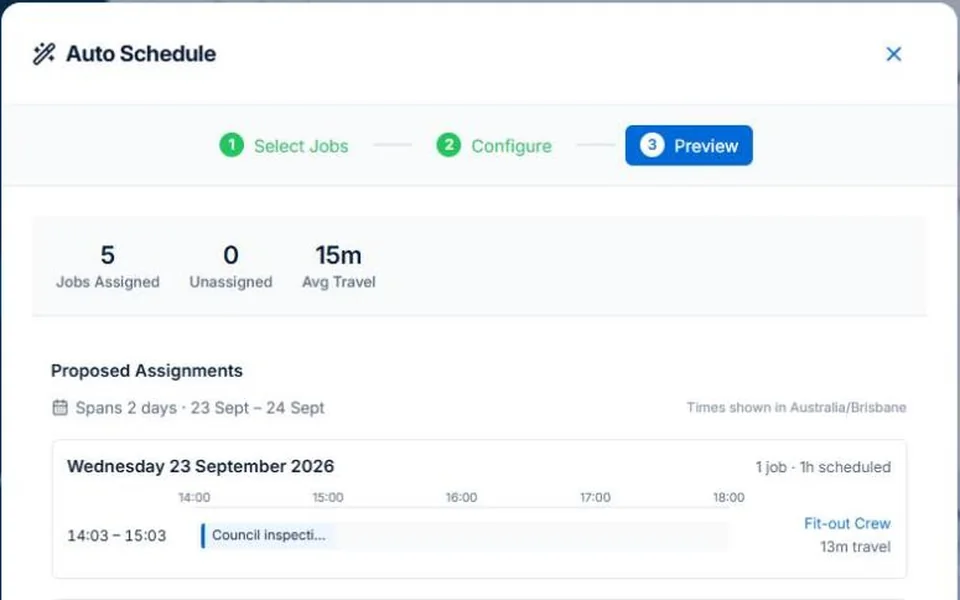
- Preview the available people and times in Auto Schedule beside the booked round. On Professional, review recorded skills and leave. Inspect which maintenance visits remain unplaced before committing the two-day work.
- For the wet-day example, use day rescheduling with the relevant jobs marked weather-sensitive. Review the preview, apply the checked change and confirm customer arrangements separately; actual ground readiness still needs the crew’s assessment.
Separate today’s maintenance from the quoted transformation
A regular garden visit and a quoted refresh at the same property need clear task and billing boundaries. Put project materials and prerequisites on the project work, and keep the repeat visit’s agreed scope visible. The crew should be able to identify which work they are attending to do.
Plan the longer job without quietly dropping the round
Illustrative week: a two-day garden refresh arrives alongside fortnightly maintenance. Check the skills and availability of the team and the required delivery. Review which repeat visits still fit, which need a different assignment and which need a customer conversation before moving.
Review the proposal before committing the day
AxiomBlue’s assisted scheduling uses recorded duration, bookings, working hours and travel to propose assignments. Professional adds crew skills and approved leave. Inspect the people, times, warnings and work not placed before applying; keep inputs current. Job readiness and customer arrangements still need your review. Individual scheduling is available on Free within limits and on Basic.
Use a wet-day change as a review, not a blanket rule
For an affected date, AxiomBlue’s day-rescheduling controls can preview moving work; weather filtering uses jobs you have marked weather-sensitive. Check the ground conditions and work type yourself. After applying a reviewed change, inspect the actual result and confirm revised arrangements. A moved booking does not itself notify every customer.
Common questions
Questions about this process
Should every landscaping job move when it rains?
Assess the actual work and conditions. Mark the relevant jobs as weather-sensitive, review the affected work and confirm the revised plan. Weather sensitivity is a recorded setting, not an automatic judgement about the site.
Put it to work
Your practical checklist
- Keep maintenance and project tasks distinct.
- Record crew requirements and multi-day durations.
- Confirm material delivery and site readiness.
- Inspect the work left without a suitable place.
- Review weather changes and customer arrangements.
See the records in Axiom Blue
Try the workflow with a familiar job.
Features and usage limits vary by plan. Review the tools relevant to your process before choosing your setup.