
Build the scope and price in AxiomBlue
- Open Sales → Quotes → New Quote. Select the customer, enter a descriptive Quote Title and use Introduction for the result, site assumptions and exclusions. For a garden refresh, distinguish bed preparation, planting and waste removal rather than entering “landscaping”.
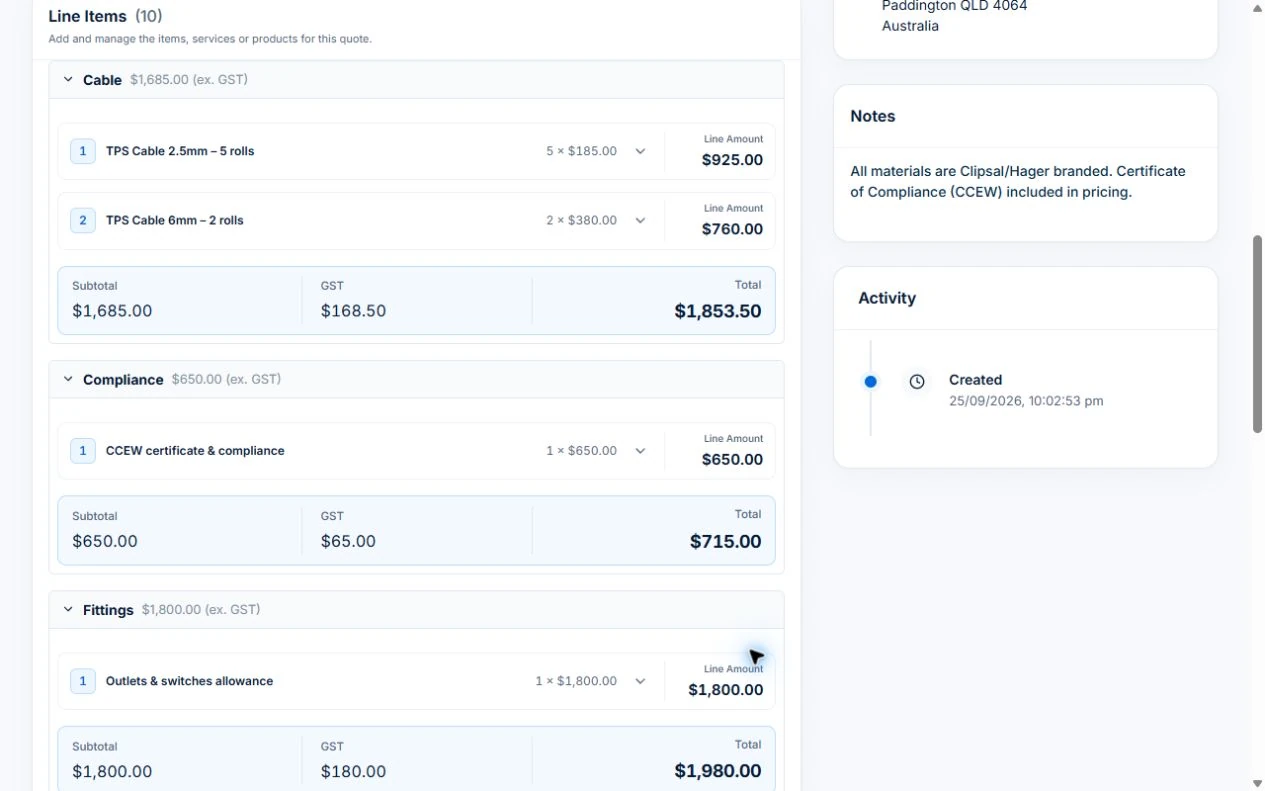
- In Line Items, use Add Line Item or Add Inventory for labour, plants and other materials. Enter Quantity and Unit Price; use Add Section to group the stages. Check the Summary and each line’s tax treatment against your business setup. An assembly can reuse a priced bundle; it still needs a site-specific review.
- Save the draft, review its customer-facing scope and terms, then send it through AxiomBlue. Once the customer accepts, convert the quote to a job and inspect the carried scope. On Professional, add a separately approved variation for an extra garden bed rather than overwriting the accepted price.
Describe the result and the boundaries
Write what the customer will receive in terms they can recognise. Group related work into sections if that makes a larger quote easier to read. Describe important assumptions and items the customer needs to confirm before work begins.
Internal shorthand can make a familiar task quick to enter but difficult for a customer to approve. Read the quote from the recipient’s point of view, especially when the work involves several visits or different areas of a property.
Build the quantities before relying on the total
List the labour and material quantities used to prepare the price. Check the units, current cost and any allowance. A line marked “materials” may be acceptable in a customer-facing summary, but you still need enough internal detail to understand your estimate.
Axiom Blue includes price-book items, quote assemblies and materials calculators. The verified calculator covers paint, tiles, wallpaper and flooring. Use measured inputs and review assumptions; a calculated quantity is an estimate to check against the site and product.
Reuse the structure, then review the job
Templates and assemblies can save repeated entry for work you price regularly. They also make it easier to overlook a stale quantity or price if nobody reviews the starting point. Treat reusable content as a draft, not a finished agreement.
Before sending, check the scope, amounts, validity or expiry information and the customer’s details. Keep the version the customer accepts so the crew and office can refer to the same starting point.
- Does the quote describe this site and request?
- Are the quantities and units correct?
- Have the current prices and allowances been reviewed?
- Can the customer see what they are agreeing to?
Give scope changes a separate record
Once work starts, a request for something extra should not disappear into a text message. Record the new scope and agreement before treating it as part of the contract.
In Axiom Blue, an accepted quote can become a job, and Professional variations support later agreed changes. Follow that sequence in the demo and inspect what the team and customer will see at each point.
Put it to work
Your practical checklist
- Build a quote from a familiar customer request.
- Reuse an assembly and inspect every quantity.
- Preview the customer document.
- Follow acceptance into a job.
- Record an addition as a variation.
See the records in Axiom Blue
Try the workflow with a familiar job.
Features and usage limits vary by plan. Review the tools relevant to your process before choosing your setup.